| .config | ||
| .github | ||
| .screenshots | ||
| DiscordChatExporter.Cli | ||
| DiscordChatExporter.Cli.Tests | ||
| DiscordChatExporter.Core | ||
| DiscordChatExporter.Gui | ||
| .gitignore | ||
| Changelog.md | ||
| Directory.Build.props | ||
| DiscordChatExporter.sln | ||
| Dockerfile | ||
| favicon.ico | ||
| favicon.png | ||
| License.txt | ||
| logo.png | ||
| NuGet.config | ||
| Readme.md | ||


DiscordChatExporter






✅ Project status: active.
DiscordChatExporter can be used to export message history from a Discord channel to a file. It works with direct messages, group messages, and server channels, and supports Discord's dialect of markdown as well as all other rich media features.
❓ If you have questions or issues, please refer to the wiki.
💬 If you want to chat, join my Discord server.
Download
This application comes in two flavors: graphical user interface (GUI) and command line interface (CLI). The following table lists all available download options:
| Downloads | Supported OS | |
|---|---|---|
| GUI |
|
|
| CLI |
|
|
- ⚙️ - Requires .NET runtime to be installed manually:
- 🦄 - Community-maintained resource
Features
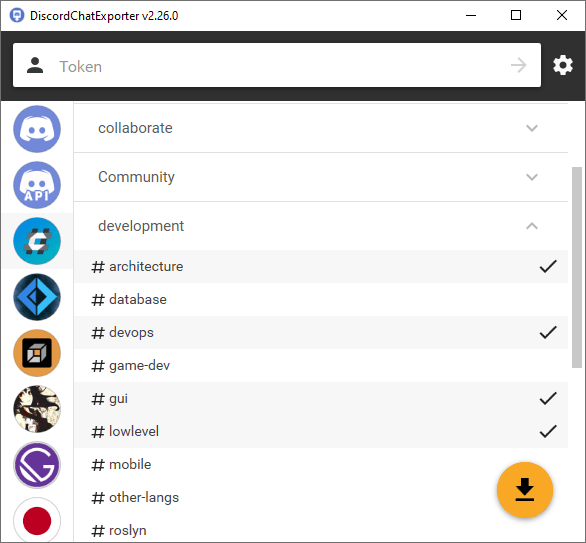
- Graphical user interface (Windows)
- Command line interface (Windows, Linux, macOS)
- Support for both user and bot tokens
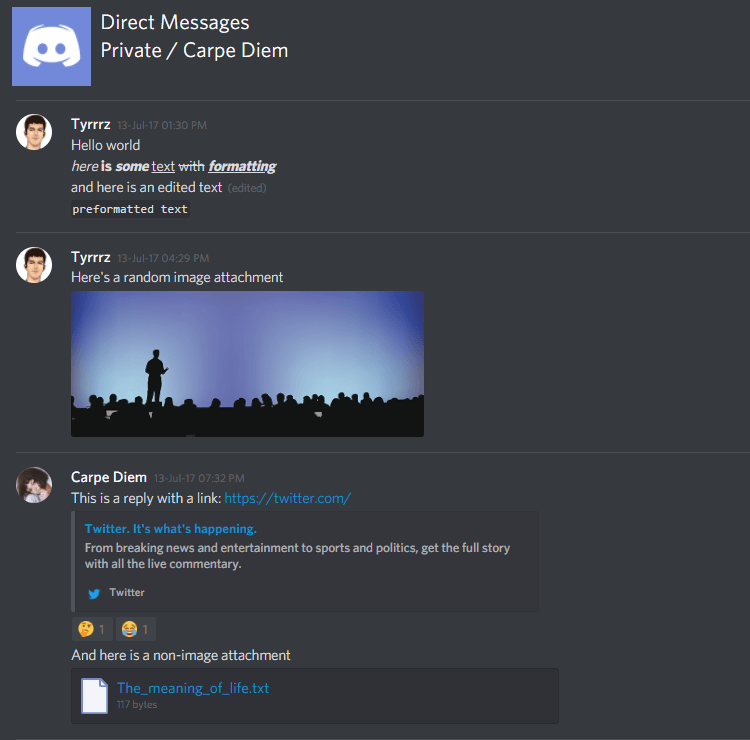
- Support for Discord's dialect of markdown
- Support for Discord's message filter syntax
- Support for attachments, embeds, emoji, and other rich media features
- Multiple output formats: HTML (dark/light), TXT, CSV, JSON
- File partitioning, date ranges, and other export options
- Exports messages on the fly without buffering in-memory
Screenshots
Building the project locally
Prerequisites:
- .NET 6.0 SDK
- (Recommended) C#/.NET IDE, such as JetBrains Rider, VS Code, or Visual Studio.
To build the entire solution run the following command in the root of the repository:
> dotnet build
This will generate runtime artifacts for each project:
./DiscordChatExporter.Gui/bin/[Debug|Release]/[runtime]/*
./DiscordChatExporter.Cli/bin/[Debug|Release]/[runtime]/*
You can also build and run a specific project directly.
To do that, navigate to its directory and use dotnet run:
> cd DiscordChatExporter.Gui
> dotnet run