 90ed829375
Previously, an existing export could only be detected if it existed at the current file target path. However, if the name of the channel, the channel parent or the guild has changed or if the default file name formatting has changed, the existing export's file name would be different, and it could therefore not be detected. Therefore, the option to explicitly search for the existing export in the target directory has been added. If it's activated (and there's no existing export at the current file target path), all file names in the target directory will be compared to a regex that matches any file name the channel export (with the same date range) might have had in the past. If several existing exports have been detected, an error is logged and the channel export is aborted. Otherwise, it continues as before (only additionally moving the existing export files to the to the new file paths if they should be appended). Whether this new option is activated is currently hardcoded. The enum FileExistsHandling has been renamed to ExportExistsHandling to clarify that the setting applies to existing exports in general. If file names of a directory are needed, they are collected lazily and stored for future use in other channel exports to avoid unnecessary I/O operations. |
||
|---|---|---|
| .assets | ||
| .docs | ||
| .github | ||
| DiscordChatExporter.Cli | ||
| DiscordChatExporter.Cli.Tests | ||
| DiscordChatExporter.Core | ||
| DiscordChatExporter.Gui | ||
| .gitignore | ||
| Directory.Build.props | ||
| DiscordChatExporter.Cli.dockerfile | ||
| DiscordChatExporter.sln | ||
| docker-entrypoint.sh | ||
| favicon.icns | ||
| favicon.ico | ||
| favicon.png | ||
| License.txt | ||
| NuGet.config | ||
| Readme.md | ||

DiscordChatExporter







| Development of this project is entirely funded by the community. Consider donating to support! |

DiscordChatExporter is an application that can be used to export message history from any Discord channel to a file. It works with direct messages, group messages, and server channels, and supports Discord's dialect of markdown as well as most other rich media features.
❔ If you have questions or issues, please refer to the docs.
💬 If you want to chat, join my Discord server.
Terms of use[?]
By using this project or its source code, for any purpose and in any shape or form, you grant your implicit agreement to all the following statements:
- You condemn Russia and its military aggression against Ukraine
- You recognize that Russia is an occupant that unlawfully invaded a sovereign state
- You support Ukraine's territorial integrity, including its claims over temporarily occupied territories of Crimea and Donbas
- You reject false narratives perpetuated by Russian state propaganda
To learn more about the war and how you can help, click here. Glory to Ukraine! 🇺🇦
Download
- Graphical user interface (desktop app):
- 🟢 Stable release: look for
DiscordChatExporter.*.zip - 🟠 CI build: look for
DiscordChatExporter.*.zip
- 🟢 Stable release: look for
- Command-line interface (terminal app):
- 🟢 Stable release: look for
DiscordChatExporter.Cli.*.zip - 🟠 CI build: look for
DiscordChatExporter.Cli.*.zip - 🐋 Docker:
docker pull tyrrrz/discordchatexporter - 📦 AUR:
discord-chat-exporter-cli - 📦 Nix:
discordchatexporter-cli
- 🟢 Stable release: look for
Important: To launch the GUI version of the app on MacOS, you need to first remove the downloaded file from quarantine. You can do that by running the following command in the terminal:
xattr -rd com.apple.quarantine DiscordChatExporter.app.
Note
: If you're unsure which build is right for your system, consult with this page to determine your OS and CPU architecture.
Note
: AUR and Nix packages linked above are maintained by the community. If you have any issues with them, please contact the corresponding maintainers.
Features
- Cross-platform graphical and command-line interfaces
- Authentication via either a user or a bot token
- Multiple output formats: HTML (dark/light), TXT, CSV, JSON
- Support for markdown, attachments, embeds, emoji, and other rich media features
- File partitioning, date ranges, message filtering, and other export options
- Self-contained exports that can be viewed offline
Screenshots
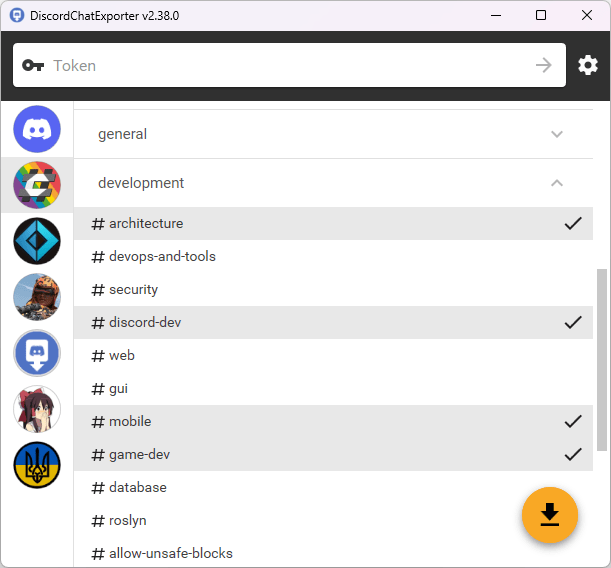
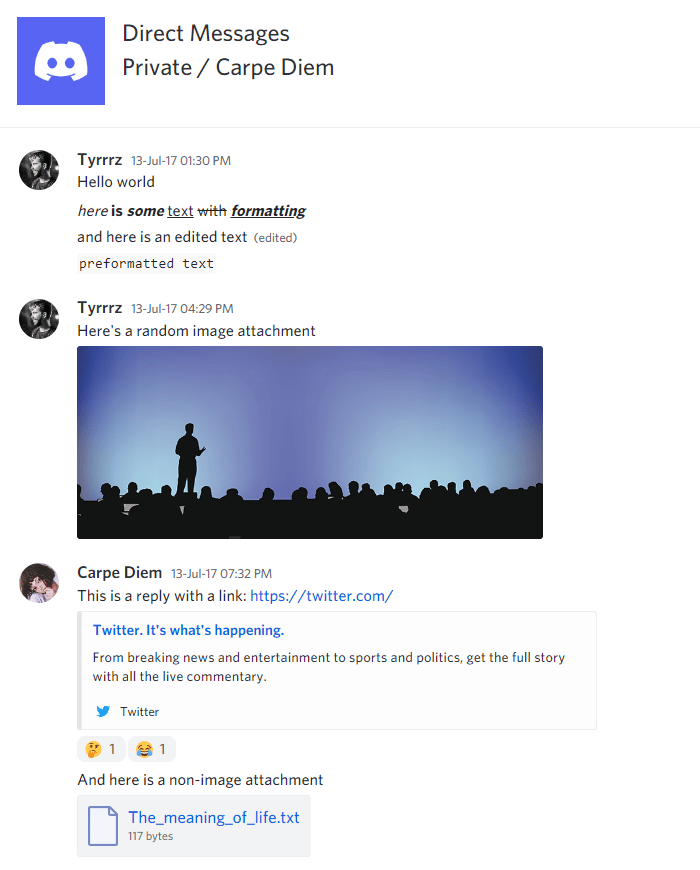
See also
- Chat Analytics — solution for analyzing chat patterns of Discord users, using exports produced by DiscordChatExporter.
- DiscordChatExporter-frontend — convenient viewer for exports produced by DiscordChatExporter.