| .meteor | ||
| .vscode | ||
| client | ||
| docs/images | ||
| examples | ||
| imports | ||
| private | ||
| server | ||
| .gitignore | ||
| LICENSE | ||
| mobile-config.js | ||
| package-lock.json | ||
| package.json | ||
| README.md | ||
| tsconfig.json | ||
| tslint.json | ||

Rdio Scanner - v1.0.0
Rdio Scanner uses the files created by Trunk Recorder and offers them in a nice web based interface, inspired by my own personnal use of police radio scanners.
Features
- Built to act as a real police radio scanner
- Listen to live calls queued to listen
- Hold a single system or a single talkgroup
- Select talkgroups to listen to when live feed is enabled
- Search past calls stored in the database
- Just upload Trunk Recorder files with Curl
This is the first version and many features still need to be developed, such as controlling user access, creating mobile apps. Yes, the same code can be used with the integration of Cordova in Meteor, you can use the same code and run it on an iOS or Android device.
Screenshots
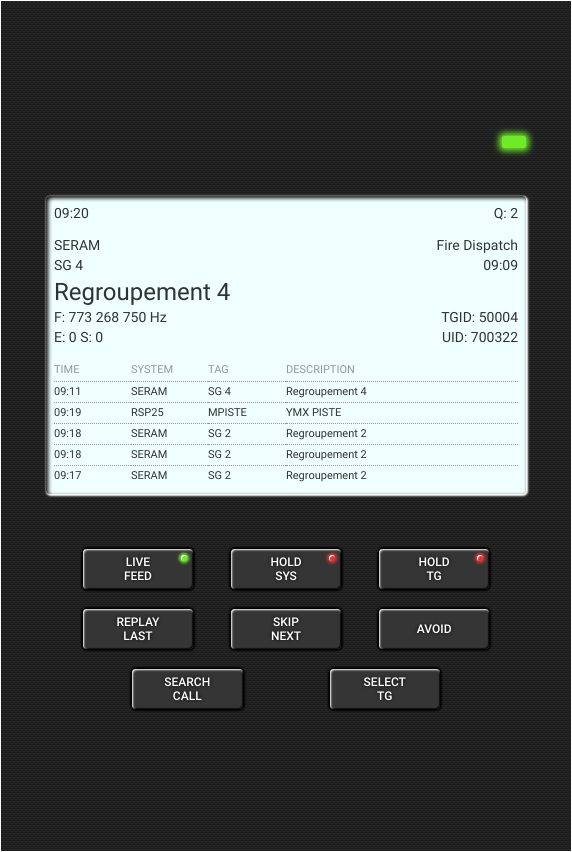
The main screen displays information on associated calls, such as on a real police radio scanner:
- Real time clock
- (Q:) calls waiting to listen
- System name, alpha tag, tag, group, call time and talkgroup description
- (F:) trunk frequency that changes during the call
- (S:) Spikes from trunk Recorder
- (E:) Errors from Trunk Recorder
- (TGID:) Talkgroup Id
- (UID:) Unit Id which changes throughout the call
- Call history containing the last five calls
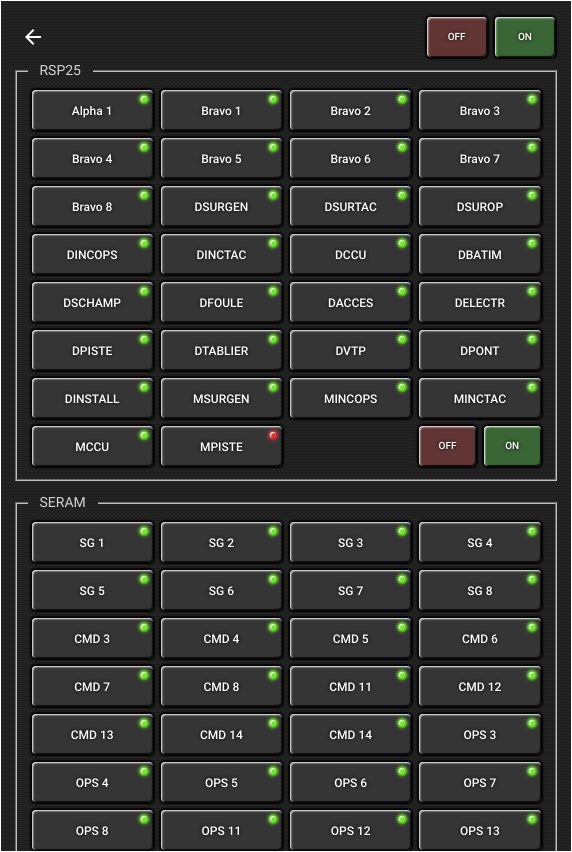
The talkgroups selection pane which can be opened by clicking the SELECT TG button on the main screen. You can toggle individual talkgroups, or by group. This only has impact on the live feed.
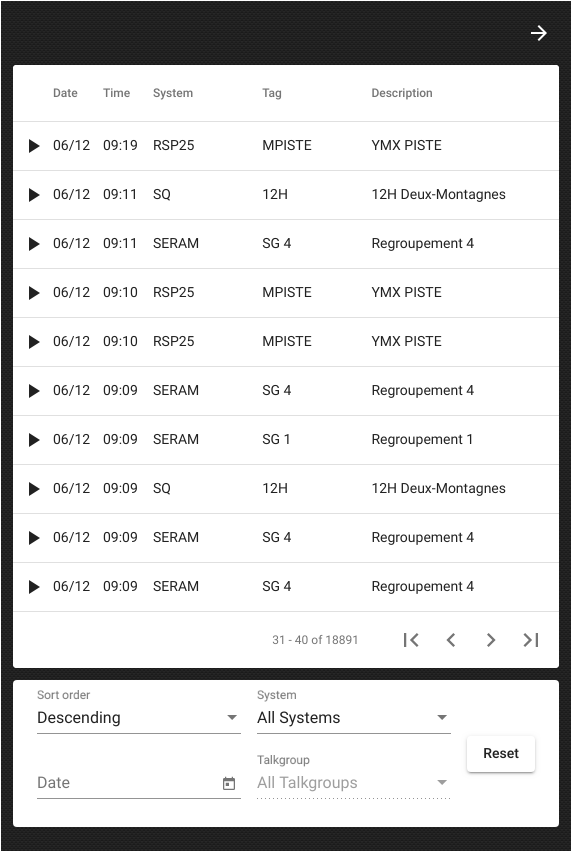
The call search pane is opens by clicking the SEARCH CALL button of the main screen. You can search for calls thrughout the database, regardless of the talkgroups selected in the talkgroups selection pane.
Build and Install
Please follow the Meteor Guide for Custom Deployment instructions to have your own running installation.
Trunk Recorder upload
MP3 and JSON files
Refer to the examples folder for download scripts, etc. Attention, the first argument of the download scripts is the system number.
./upload.sh 2 /home/radio/trunk-recorder/audio_files/SERAM/2019/6/12/60067-1560345651_7.73431e+08.wav
Talkgroups files
The main display information are obtained from the database. You must provision the database by uploading each CSV file to Rdio Scanner with the talkgroups script from the examples directory.
./upload.sh 2 /home/radio/trunk-recorder/SERAM.csv